
How to usePRO
Tide Planner
Find the perfect tide at your favourite coastal spot, then let PhotoWatch tell you when conditions are looking good.
Prefer to watch?
See the whole thing in under a minute
Watch the Tide Planner in action, then follow the 10 steps below at your own pace.
Plays here or Open in YouTube
1
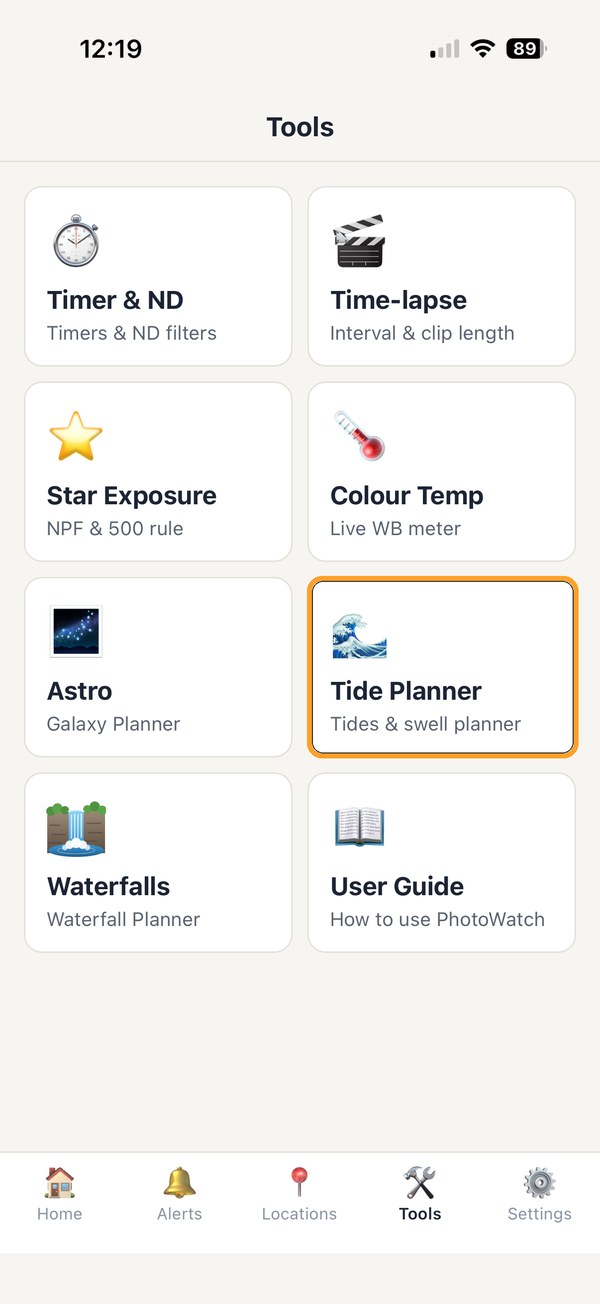
Open the Tide Planner
Tap the Tools tab at the bottom of the screen, then tap Tide Planner.
2
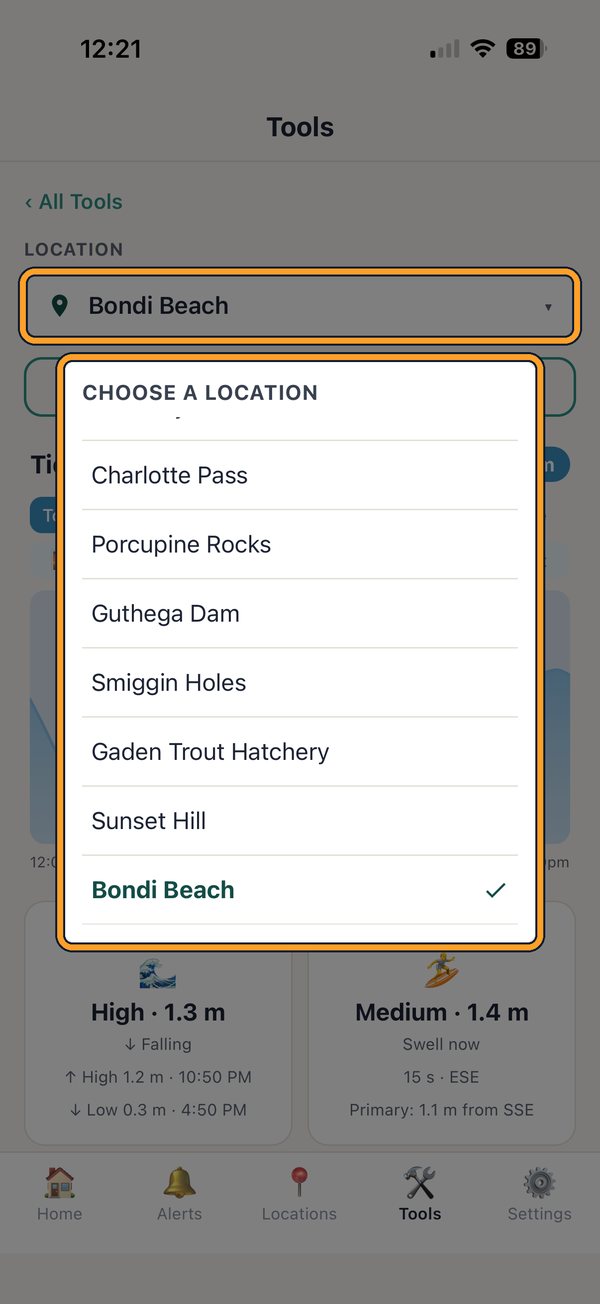
Choose your spot
Tap the Location box and pick one of your saved locations. Standing on the beach? Tap Use my current location instead.
Tip: Tides are shown for spots on or near the coast. Inland spots have no tide.
3
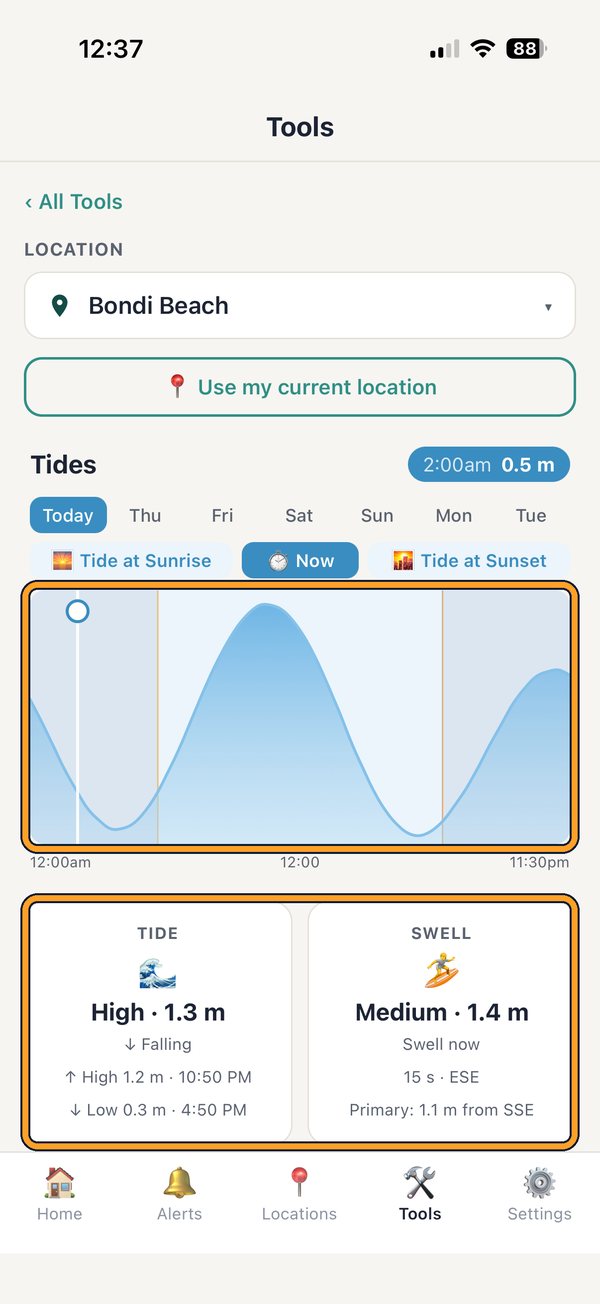
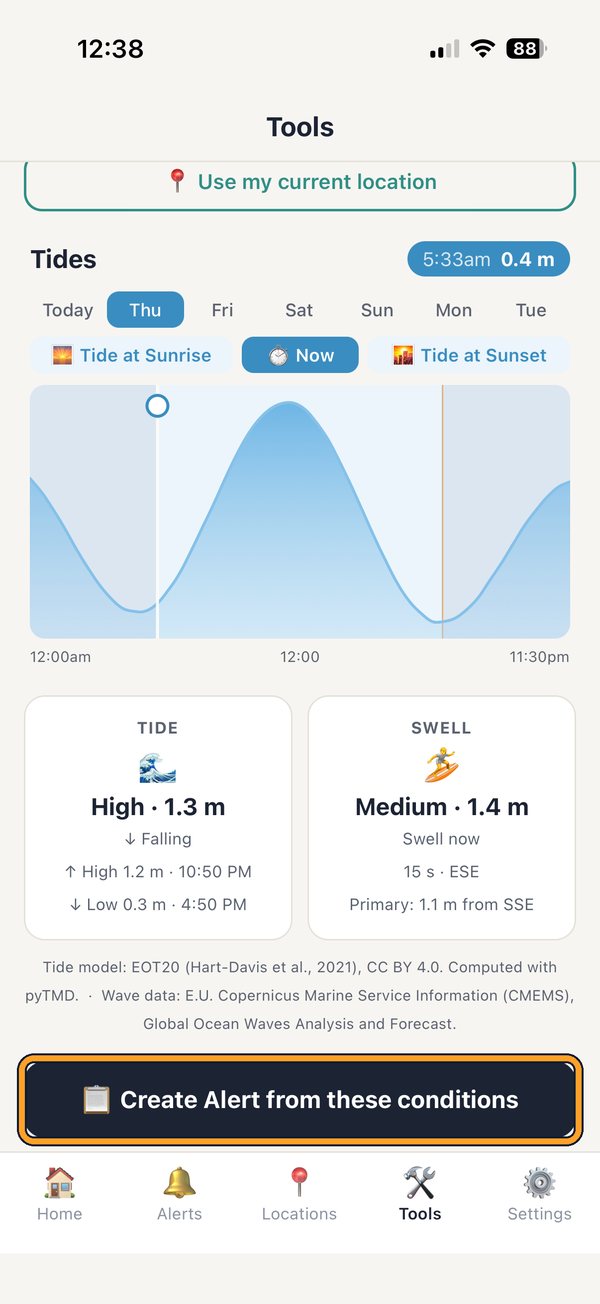
Read the tide
The wave shows the tide rising and falling through the day. The cards below show the tide and swell right now, plus the next high and low.
4
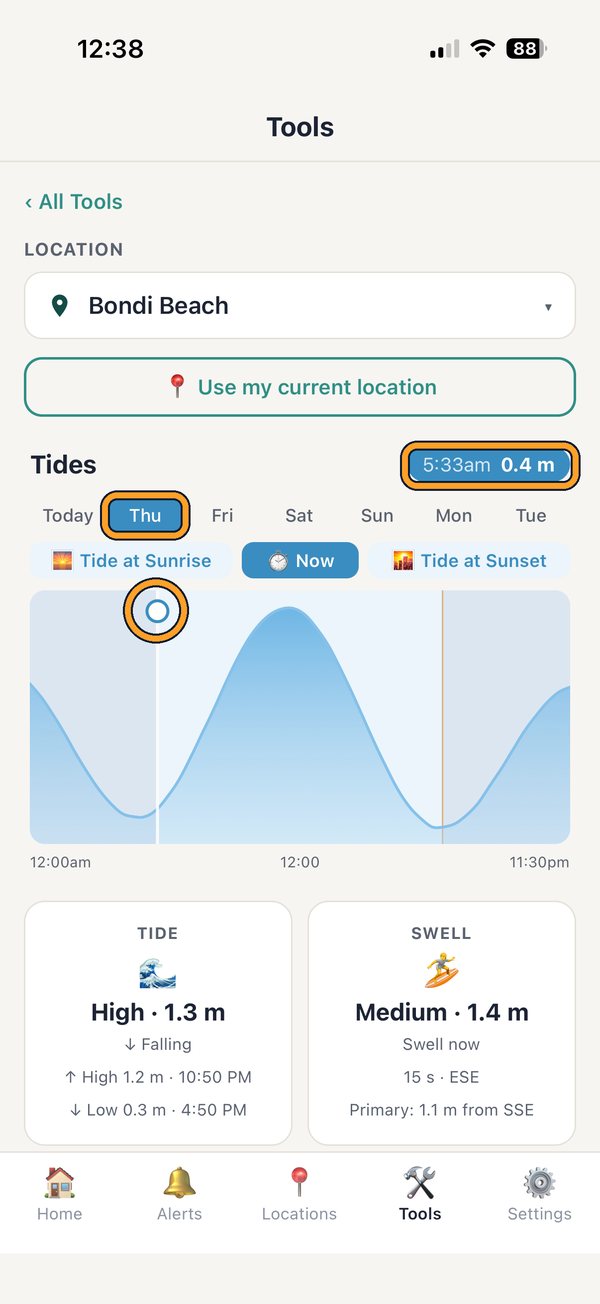
Pick the moment you want
Tap a day along the top, then drag along the wave to the time you'd like to shoot. The time and tide height show in the top corner.
Tip: Tide at Sunrise and Tide at Sunset jump straight to those times. Planning a trip? For a spot in a different time zone from your phone, the days and times are shown in the spot’s own local time.
5
Create an alert
Happy with it? Scroll down and tap Create Alert from these conditions.
6
Go to the Alert editor
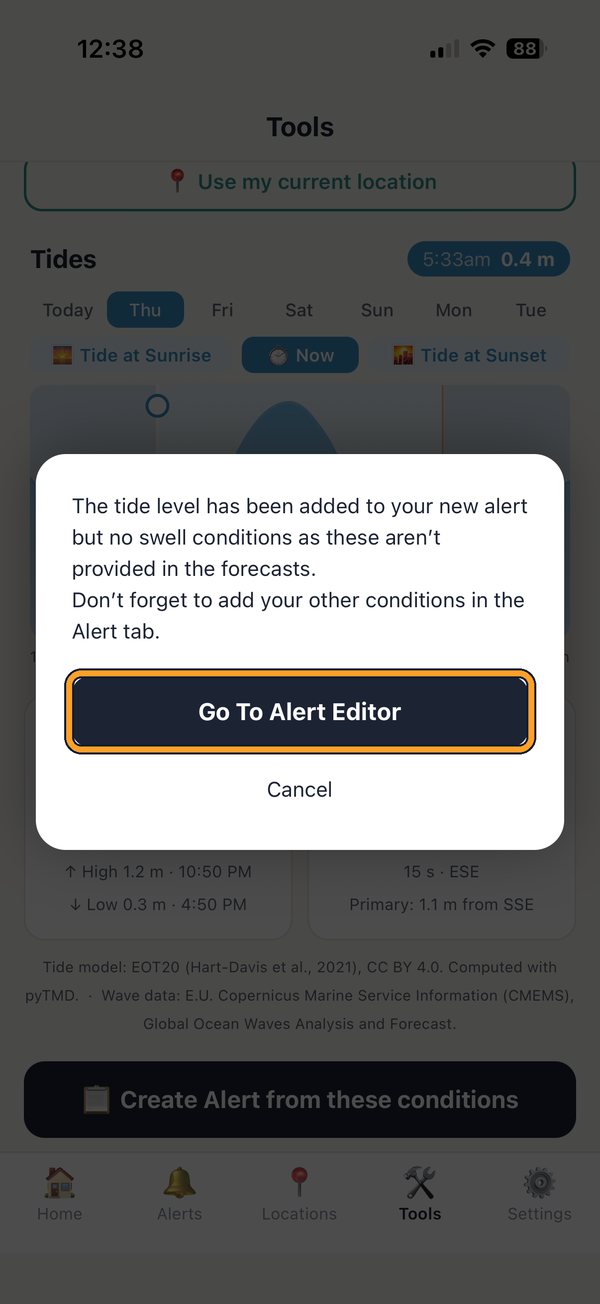
A short message tells you what has been added. Tap Go To Alert Editor.
Tip: Swell forecasts only cover today, so for a later day just the tide level is added.
7
Check the shoot time
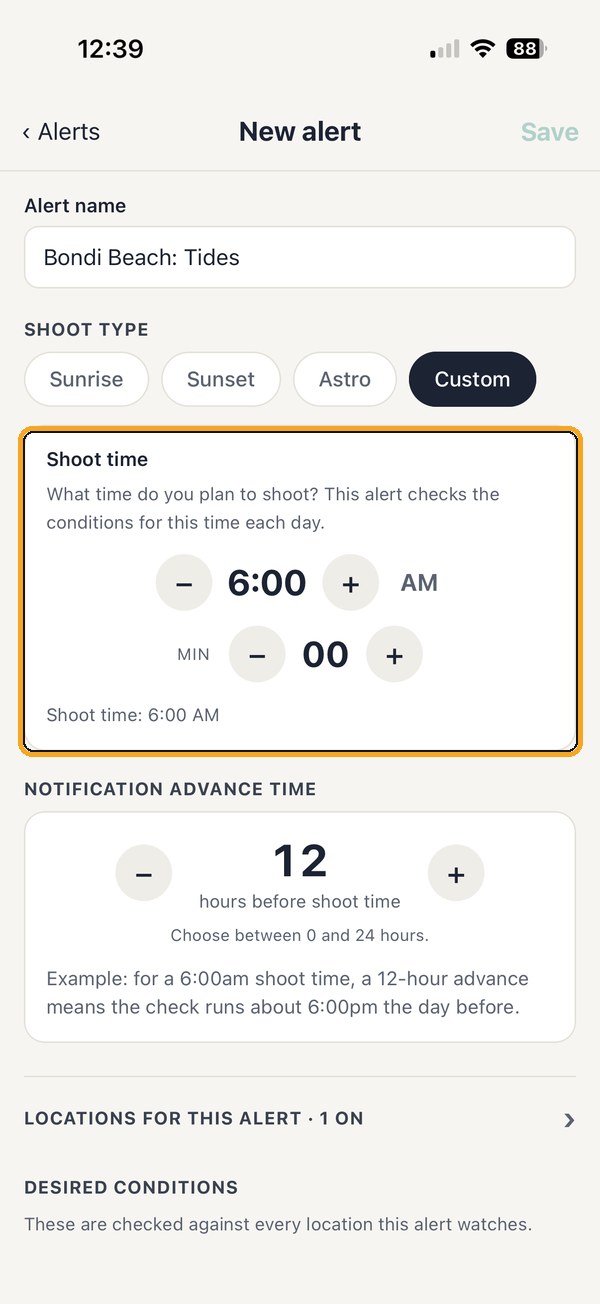
Your shoot time is already filled in from the moment you picked. Under Notification Advance Time, set how much notice you'd like.
Tip: An advance time of 12 hours means you hear about a 6:00am shoot around 6:00pm the evening before.
8
Check your conditions
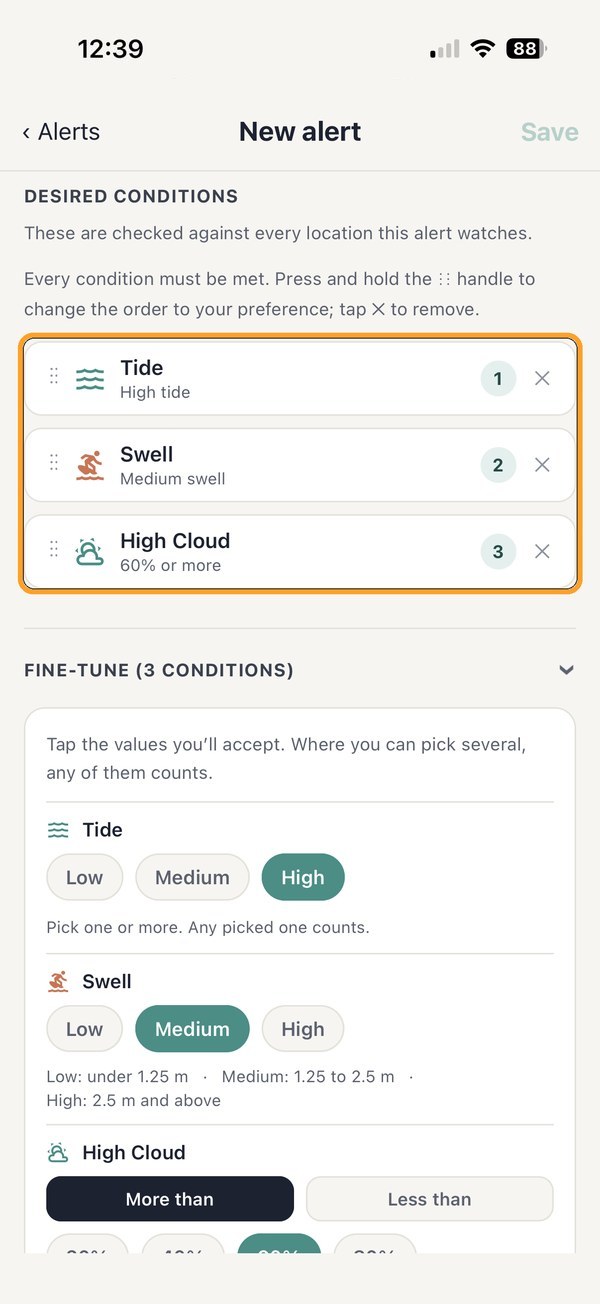
The Tide condition is already added (and Swell, if you picked Now), with your choice picked in Fine-tune. You can pick more than one chip: any picked one counts. Add any other conditions you like, such as cloud or wind.
Tip: Every condition in an alert must be met, so only add the ones that really matter to you.
9
Choose your days and save
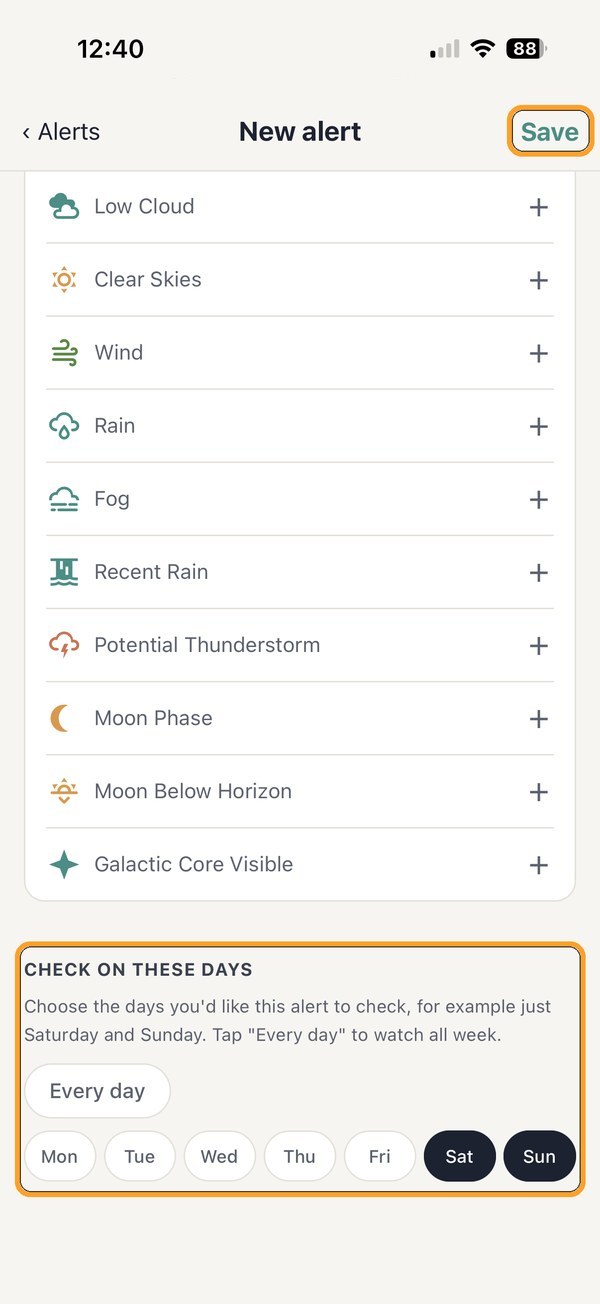
Scroll down to Check on these days, pick the days you can shoot, then tap Save.
10
You're all set
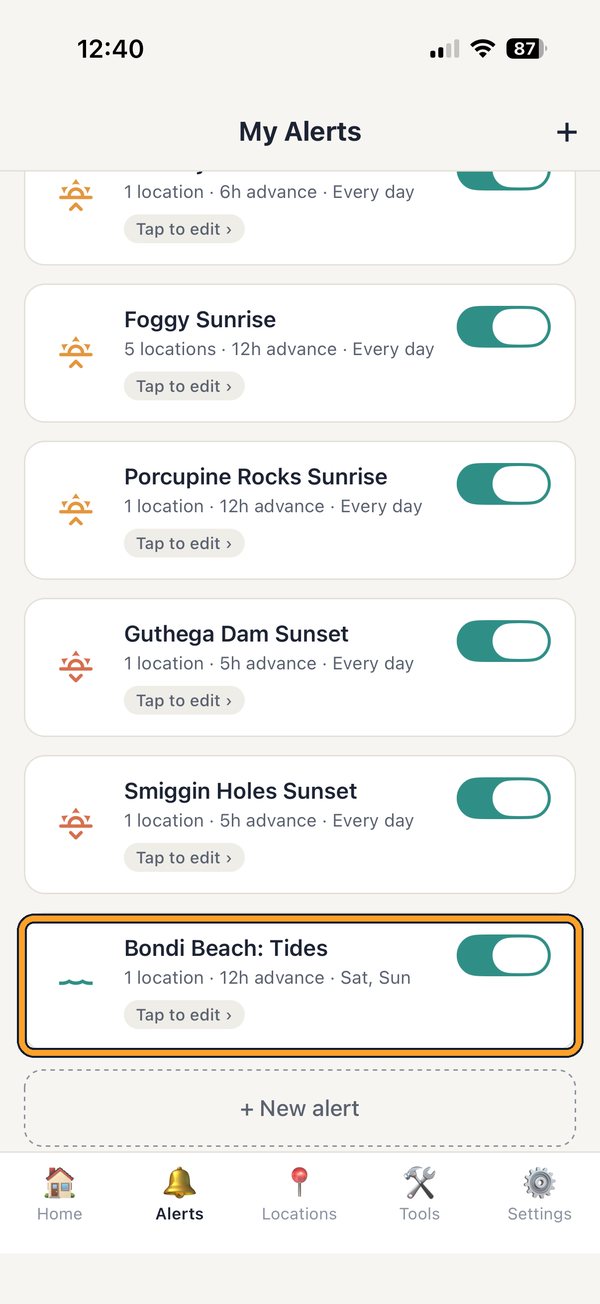
Your alert is now in the Alerts tab. PhotoWatch watches the tide for you and sends a notification when conditions line up.
That's it. Go get the shot!
Set it once and PhotoWatch keeps watching the tide for you, every day you chose.